UX UI Design

User Experience and User Interface Design, UX/UI Design, User Experience and Interface Design, Experience Design, Interaction Design, UX Design, UI Design
UX UI Design combines user experience (UX) and interface design (UI) into a cohesive design process. It ensures that websites and apps work intuitively and look attractive.

What is UX UI Design?

UX UI Design is de combinatie van gebruikerservaring (User Experience) en gebruikersinterface-ontwerp (User Interface) tot één geïntegreerd ontwerpproces. UX richt zich op hoe een gebruiker een digitaal product ervaart, UI op hoe het eruit ziet en reageert. Samen bepalen ze of een website of app intuïtief werkt, aantrekkelijk oogt en tot conversie leidt. Voor MKB-bedrijven betekent dit concreet: minder klikken tot aankoop, lagere uitval in formulieren en een professionele uitstraling die vertrouwen wekt.

How UX UI Design works in practice

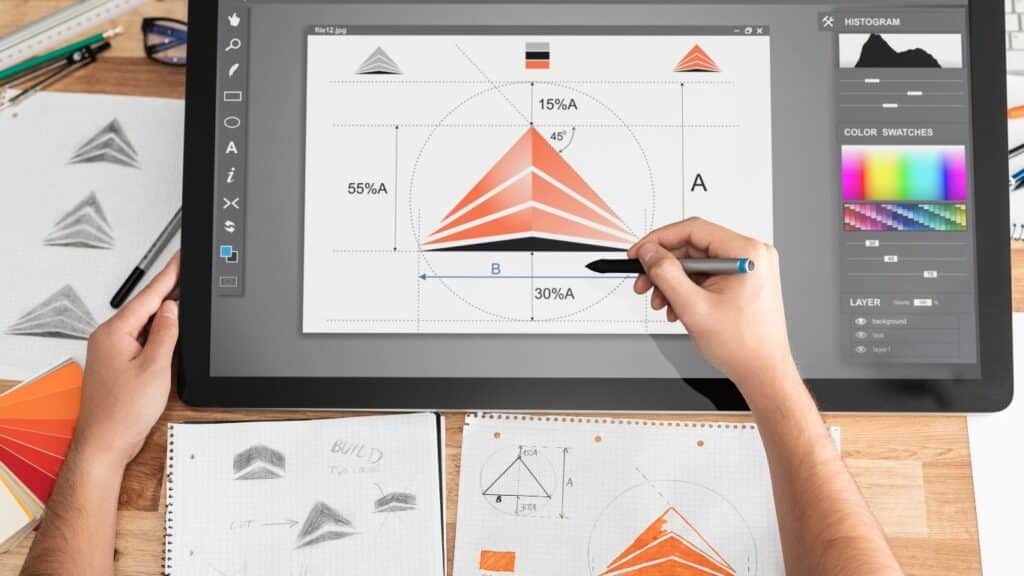
UX UI Design is geen lineair proces maar een cyclus van onderzoek, ontwerp en test. De UX-fase start met gebruikersonderzoek: interviews, analytics en klantreis-mapping. Daaruit volgt een informatiestructuur en wireframes die de functionaliteit vastleggen. De UI-fase vertaalt dit naar visueel ontwerp: kleurgebruik, typografie, buttons en animaties. Beide disciplines overlappen: een mooie button zonder duidelijke functie faalt, een logische structuur zonder visuele hiërarchie ook. In de praktijk zien we bij MKB-klanten vaak dat UX-problemen pas na lancering opvallen, bijvoorbeeld doordat bezoekers de contactknop niet vinden of het bestelproces halverwege verlaten.

Why UX UI Design came about and matters now

The division between UX and UI arose as digital products became more complex. Early websites were static pages with little interaction. Once ecommerce, Web applications and mobile apps emerged, it became clear that technical functionality and visual design were insufficient: users needed to understand how something worked without a manual. UX Design emerged from human-computer interaction and cognitive psychology, UI Design from graphic design and interaction design. Now, with shorter attention spans and higher expectations, the quality of UX UI Design determines whether a visitor stays or clicks away. Moreover, according to the W3C Accessibility Guidelines, a well-designed interface is usable by everyone, including people with disabilities.

What UX UI Design delivers for SMEs

A well thought-out UX UI Design process delivers measurable results: higher conversion, longer session duration and fewer support questions. For an ecommerce store, improved checkout flow can reduce dropouts by 20 to 40 percent. For a B2B service provider, clear navigation ensures that prospects find the right information and get in touch faster. In practice, we at Monkey Vision notice that SME companies often make gains with small adjustments: a clearer call-to-action, more logical menu layout or faster loading time. Want to know how your site performs on user experience and interface design? A professional web design project always starts with a UX audit and visual analysis. In addition, understanding conversion design helps lead visitors to action more effectively.

Applications of UX UI Design

UX UI Design is not a one-time activity but an ongoing process that can be applied to virtually any digital contact moment. From ecommerce store to lead form, from onboarding flow to customer portal: wherever a user has to complete a task, the quality of UX and UI determines the result. Below are four concrete applications that are directly relevant to Dutch SMEs.

Optimizing ecommerce store checkout for higher conversion

An ecommerce store with many visitors but few orders often has a UX problem in the checkout. Users leave the shopping cart because they don't see where they are in the process, encounter mandatory account creation or see unexpected shipping costs. UX UI Design solves this by reducing the number of steps, adding progress indicators and showing error messages right at the input field. UI elements such as color contrast and button size determine whether a visitor notices the "Complete Order" button. In practice, we see that a well-designed checkout increases conversion by 15 to 30 percent, especially on mobile. Read more about this topic at ecommerce platforms and their influence on user experience.

Making lead generation forms user-friendly

B2B companies often use contact forms or quote requests to generate leads. Long forms with unclear labels, required fields without explanation or technical error messages lead to dropouts. UX research reveals which fields are really needed and in what order users want to enter information. UI design provides visual calm, clear labels and inline validation that prevents errors rather than correcting them after the fact. Case in point: an installation company shortened its quote form from 12 to 5 fields and saw the number of submissions double. Couple this with a thoughtful SEO strategy and your form will also be found by the right audience.

Mobile app navigation designs for returning users

Apps for reservations, orders or customer portals require a different UX UI approach than websites. Users expect speed, familiarity and one-handed operation. UX design determines which functions are on the home screen and how deep menus may be. UI design translates this into touch targets of at least 44 pixels, thumb-friendly navigation and consistent icons. A common mistake: menus that make sense on desktop but have too many levels on mobile. Monkey Vision always tests apps with real users on different screen sizes. Get more insight into mobile performance through web analytics and user behavior tracking.

When UX UI Design is the right choice and when it is not

UX UI Design is valuable as soon as users need to complete a task: buy, sign up, download or contact. It pays off especially with complex flows, many visitors or high dropout rates. Not every site needs a full UX journey: a simple landing page with one goal can suffice with UI optimization and A/B testing. Invest in UX UI Design if you want to increase conversion, reduce support queries or launch an app. Skip it if your site is purely informational, requires little interaction and visitors find what they are looking for within one page. In that case, content and findability are more important than interaction design.

Want to apply this to your business? Monkey Vision helps SME entrepreneurs with web design, SEO and smart digital solutions. Schedule a no-obligation meeting and find out what's possible for you.

Schedule an introduction

Frequently Asked Questions

No, web design is broader and includes branding, content and technology. UX UI Design focuses specifically on how a user experiences and operates the interface. Web design can be beautiful but work poorly, for example if buttons are unclear or navigation confusing. UX makes sure the structure makes sense, UI that it looks attractive. In practice, they overlap: a good web design project integrates UX UI Design from the start. Many SMBs think of "a beautiful site" only to find later that visitors are not converting because the user experience is not right. UX UI Design solves that by designing function and form together.

Always start with UX. Without an understanding of what users want and how they currently navigate your site, UI design is guesswork. Start with analytics, heatmaps and user testing to find bottlenecks. Create wireframes that capture the new structure and flows. Only then do you start applying UI design: color, typography and interaction elements. In practice, we at Monkey Vision often see that companies want visual design right away, but then structural problems persist under a new look. A phased approach works better: first UX research and wireframes, then UI design and development. You can read more about this sequence at user experience.

Measure conversion, dropout rate, session duration and task completion. For an ecommerce store: how many visitors complete the checkout? For a lead form: how many start and how many submit? Use tools like Google Analytics, Hotjar or Microsoft Clarity to track behavior. Compare before and after a redesign, or test variants via A/B experiments. Also pay attention to qualitative signals: fewer support questions about "how does this work?" or positive feedback about ease of use. In practice, small UX improvements, such as a clearer call-to-action or faster loading time, already have measurable impact. More about measuring and optimizing can be found at conversion optimization.

The best approach depends on your current situation and goals. Already have a website but don't know why visitors aren't converting? Then schedule a free 30-minute UX scan at Monkey Vision. We walk through your site live and immediately show you three concrete areas for improvement: navigation, forms or mobile display. You will get an honest assessment of the growth potential and which steps will deliver the most. Not a sales pitch, but practical advice. Whether you are optimizing an ecommerce store, launching a new site or developing an app: a professional web design project always starts with UX research and ends with an interface that works for your target audience.

About the author

Monkey Vision

Monkey Vision is a full-service digital agency at Nijmegen, specializing in web design, SEO, and AI automation for small and medium-sized businesses. The knowledge base has been compiled by our team of online strategists and is continuously updated based on current insights.

Publication date: 26-04-2026
Last update: 26-04-2026