WordPress Web Design

WordPress website design, WordPress site design, WordPress web design, WordPress website design, WordPress design, WP web design
WordPress Web design is designing and building websites on the WordPress platform, bringing together design, functionality and usability. Suitable for businesses seeking flexibility and scalability.

What is WordPress web design?

WordPress Webdesign is het proces waarbij je een website ontwerpt en bouwt op het WordPress-platform, waarbij je visueel ontwerp, technische functionaliteit en gebruiksvriendelijkheid combineert. Je gebruikt daarbij thema's, plugins en custom code om een site te maken die past bij je merk en doelgroep. Het onderscheidt zich van generieke websitebouwers doordat je volledige controle hebt over structuur, opmaak en functionaliteit.

How WordPress web design works in practice

Bij WordPress Webdesign kies je eerst een basis: een bestaand thema, een page builder zoals Elementor of Bricks, of een volledig custom ontwikkeling. Vervolgens bouw je pagina's op met content, beelden en interactieve elementen. Je past de opmaak aan via CSS, voegt functionaliteit toe met plugins en optimaliseert de site voor snelheid en vindbaarheid. In de praktijk zie je bij MKB-bedrijven vaak een hybride aanpak: een professioneel thema als fundament, aangevuld met custom styling en specifieke plugins voor formulieren, SEO of webshop-integratie. De flexibiliteit van WordPress maakt het mogelijk om te starten met een eenvoudige site en deze stapsgewijs uit te breiden naarmate je bedrijf groeit.

Why WordPress web design became dominant in SMEs

WordPress originated in 2003 as blogging software, but grew to become the most widely used content management system in the world. That growth came from the combination of accessibility and extensibility: you don't have to be a developer to build a working site, but you can develop endlessly if you need to. For Dutch SMEs, this is attractive because you don't get stuck in a closed system. You can always add an ecommerce store later, integrate a customer portal or make your site multilingual without having to start from scratch. That makes WordPress web design a safe investment for companies looking to grow.

What WordPress web design brings to your business

With WordPress web design, you get a site that scales with your ambitions. You can start with five pages and later expand to hundreds of product pages, blog articles or case studies. The link with search engine optimization is strong: WordPress offers native support for structured data, fast load times and clean URL structures. In addition, you retain ownership of your content and data, something that is not a given with many closed-source platforms. In practice, we see that companies with a well-established WordPress site are, on average, less dependent on outside parties for minor adjustments, saving costs and lead time. For those who take user experience seriously, WordPress offers the space to optimize every interaction without technical limitations.
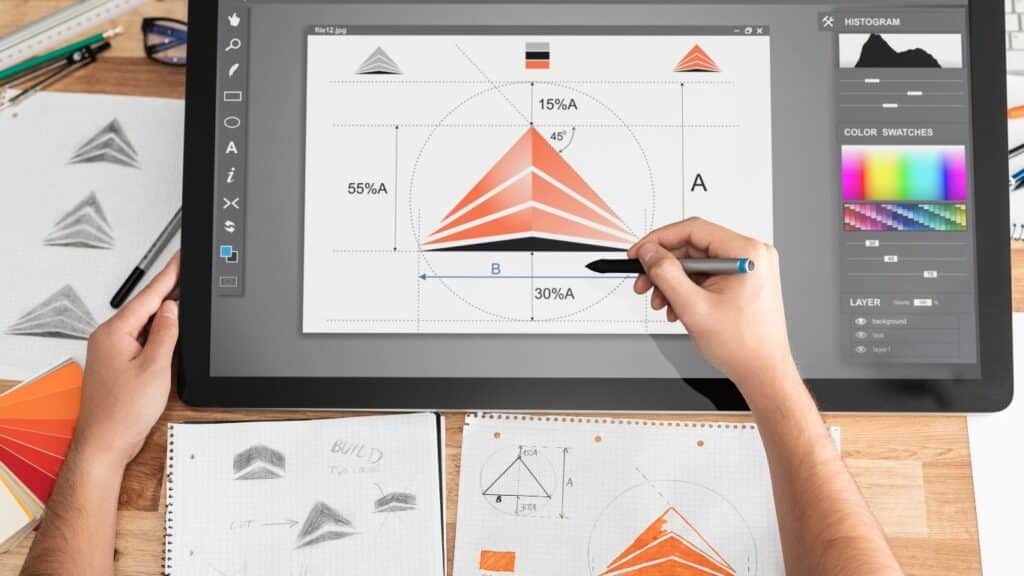
Applications of WordPress Web Design.

WordPress Web design fits a wide variety of situations, from a simple landing page to a comprehensive corporate site with multiple audiences. What you use it for depends on your business model, your content volume and the extent to which you want to be able to adjust yourself. Below are four concrete applications that we often see in SMEs.

Corporate website with multiple services or product lines

A common application is the corporate site for a B2B service provider or manufacturer with multiple target audiences. You then build a site with separate landing pages for each service, a case overview, a team overview and a knowledge base structure. WordPress allows you to use a different layout for each page, so you can visually arrange a product page differently from an about-us page, for example. Advanced Custom Fields let you add custom fields for specifications, downloads or contacts, without an editor having to edit HTML. That makes the system scalable: you can start with ten pages and later grow to a hundred without cracking the structure.

Content-driven platform with blog or knowledge base

WordPress was originally built for content publishing, and you can tell. If you regularly publish articles, white papers or case studies, WordPress offers native support for categories, tags, authors and publishing schedules. You can set up an editorial workflow with drafts, reviews and scheduled publications. For companies using content marketing as a lead generator, this is a strong foundation. You can optimize each article for a specific keyword, manage internal links automatically and show related content without manual work. In practice, we see that companies with an active knowledge base on WordPress often generate more organic traffic than competitors with static sites, simply because they can publish and iterate faster.

Ecommerce store or hybrid site with WooCommerce

A third application is the ecommerce store, usually built with WooCommerce. You then combine WordPress web design with ecommerce functionality: product pages, shopping cart, checkout and order fulfillment. The advantage is that you manage content and commerce in one system. You can write a blog post about a product and put an order button right in there, or create a landing page specifically tailored to a Google Ads campaign. For companies with a limited product range (up to 500 products), this is often more efficient than a separate ecommerce platform. You do need more technical knowledge for payment links, inventory management and shipping options, but that complexity outweighs the flexibility you gain.

Multilingual or multisite architecture.

WordPress supports multilingual sites through plugins like WPML or Polylang, and multisite networks where you manage multiple sites from one installation. This is useful for companies that operate internationally or have multiple brands under one roof. You can then run a separate site per country or brand with shared themes and plugins, but unique content and URL structure. In practice, this does require a thoughtful technical setup because you'll have to deal with different domains, language configurations and possibly local payment methods. For those who prepare that step well, it yields a scalable ecosystem that grows with international ambitions.

When WordPress Web design is the right choice and when it is not

WordPress Web design fits well if you publish content regularly, have multiple editors, or expect your site to grow significantly in the coming years. It fits less well if you're building a very specific application (for example, a SaaS platform or a complex configurator) or if you don't want to spend time on updates and security. For a simple five-page site with no growth ambition, lighter alternatives such as Webflow or a static generator are often faster and cheaper. Choose WordPress if you value flexibility and ownership over convenience, and if you are willing to invest in maintenance.

Want to apply this to your business? Monkey Vision helps SME entrepreneurs with web design, SEO and smart digital solutions. Schedule a no-obligation meeting and find out what's possible for you.

Schedule an introduction

Frequently Asked Questions

No, WordPress web design involves much more than just installing a theme. A theme defines the visual base and layout options, but web design is about the entire user experience: information structure, navigation, conversion elements and brand identity. In practice, you often see companies choose a theme and then add custom CSS, plugins and page layouts to make the theme fit their brand and target audience. A professional WordPress Web design process includes wireframing, content mapping, responsive testing and performance optimization. Those who only install a theme without those steps risk a generic site that does not convert.

Choose WordPress if you publish content regularly, have multiple editors or want to link an ecommerce store. WordPress offers more plugins, a larger community and better SEO capabilities for content-rich sites. Choose Webflow if you want a visually complex site without plugins, don't need a blog and value speed and hosting convenience. Webflow is a closed platform, so you are dependent on their infrastructure and pricing model. For SMBs with growth ambitions and in-house content teams, WordPress is often the safer choice, because you're not bogged down by licensing or export restrictions. For design agencies or brands with a tight visual concept, Webflow can be faster.

The most common mistake is installing too many plugins without testing how they affect each other. Each plugin adds code, and too much code slows down your site. A second mistake is choosing too heavy a theme with features you never use, which complicates load time and maintenance. A third mistake is not using a staging environment: making updates and changes directly on the live site regularly leads to crashes. Finally, we often see companies forget to schedule backups and security updates, leaving them vulnerable to hacks or data loss. A well-designed WordPress project schedules those things in advance.

The best first step depends on where you are now. Already have a WordPress site but don't know if it's performing well? Then schedule a free 30-minute website scan at Monkey Vision. We walk through your site live and check speed, findability and conversion elements. You will immediately receive three concrete points of improvement you can pick up this week, plus an honest estimate of what a redesign or optimization would yield. No sales pitch, just practical, tailor-made advice. Want a new site built? Check out our approach to professional web design or contact us for a no-obligation consultation.

About the author

Monkey Vision

Monkey Vision is a full-service digital agency at Nijmegen, specializing in web design, SEO, and AI automation for small and medium-sized businesses. The knowledge base has been compiled by our team of online strategists and is continuously updated based on current insights.

Publication date: 26-04-2026
Last update: 26-04-2026