Headless CMS

Headless content management system, Decoupled CMS, API-first CMS, Content API, Headless content platform
A headless CMS separates content management from display, so you send content to websites, apps and other channels via APIs. Useful for multi-channel publishing.

What is a headless CMS?

A headless CMS is a content management system that stores and manages content but has no fixed presentation layer (frontend). Instead, you deliver content via an API to websites, mobile apps, wearables or other channels. You decide how and where your content appears. For SMBs that want to display content in multiple places without managing everything twice, a headless CMS is an efficient solution.

How a headless CMS works technically

In a traditional CMS like WordPress, content management and display are in one system. You write an article and the CMS determines how it looks on your website. With a headless CMS, you split those two layers. The backend manages content in a database. The front end (your website, app or other channel) retrieves that content through a RESTful API or GraphQL endpoint. This means you can reuse the same product description, blog post or image in your ecommerce store, mobile app and even on a smartwatch, without having to enter content three times. Developers build the frontend with frameworks such as React, Vue or Next.js and link it to the headless CMS backend.

Why headless CMS became popular in SMEs

Around 2015, the demand for multi-channel publishing grew. Companies no longer wanted to serve just a website, but also native apps, progressive web apps and IoT devices. Traditional CMS systems were not built for that. A headless CMS solves that by managing content centrally and making it available via APIs. In practice, we often see with SMB customers that marketing wants to customize content without depending on developers, while IT teams want flexibility in the technical stack. A headless CMS offers both: marketers work in a user-friendly editor, developers choose their own front-end tools. That explains the growth of platforms such as Contentful, Strapi and Sanity in the Dutch market.

What a headless CMS brings to your business

With a headless CMS, you publish faster on multiple channels. Imagine this: you're launching a new product line. You enter the product info once and it appears instantly on your website, in your mobile app and in your email newsletter. That saves time and prevents errors. You also get more freedom in design and technology. Want to build a React website development while managing content in Contentful? You can. For companies investing in web development, a headless CMS offers flexibility without vendor lock-in. You can replace the frontend without migrating your content. According to Google Developers, though, it's important that you apply server-side rendering or pre-rendering so search engines can index your content.

Applications of a headless CMS

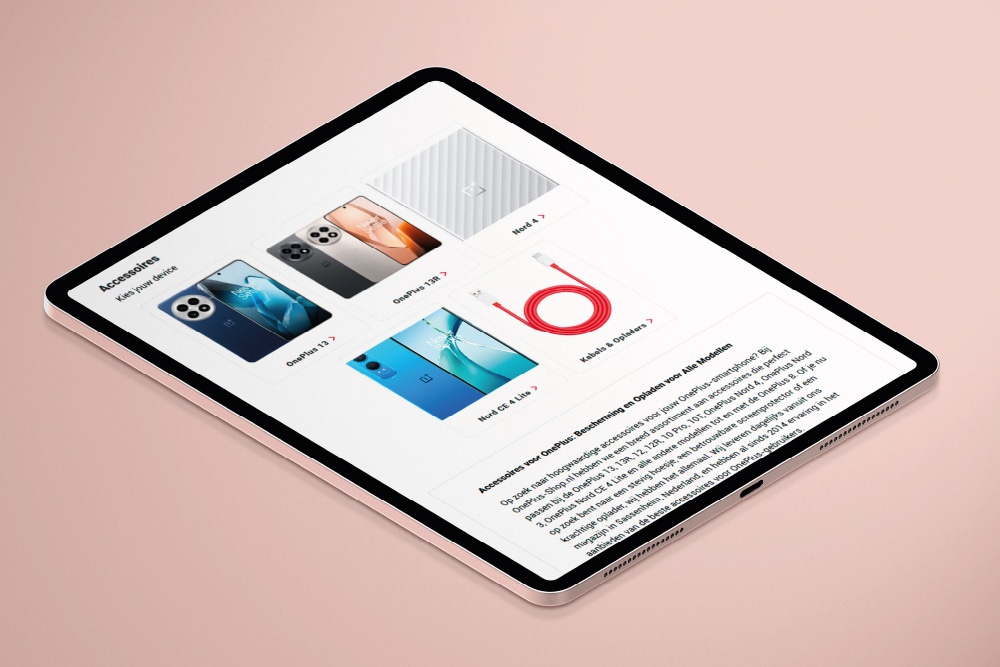
A headless CMS is especially valuable if you want to display content in multiple places or if your technical stack needs to remain flexible. Think of ecommerce stores that also have a mobile app, SaaS platforms with a knowledge base, or brands that distribute content to partners. Below you can see where a headless CMS makes a difference in practice.

Multi-channel publishing for ecommerce stores and brands

An ecommerce store with 500 products often wants to show the same product info on the website, in a mobile app and on marketplaces like Bol.com. With a traditional CMS, you have to synchronize that content manually or link it via export-import scripts. With a headless CMS, you manage product descriptions, specifications and images in one place. The ecommerce store, app and external channels retrieve that data via API. Do you change a price or add a new color? Then that update automatically appears everywhere. For companies investing in ecommerce, this saves hours of manual work each week and prevents customers from seeing outdated info.

Fast, scalable websites with modern frameworks

Developers are increasingly building websites with frameworks such as Next.js, Nuxt or Astro. Those frameworks deliver fast, optimized sites, but have no built-in CMS. A headless CMS fills that gap. You build the frontend in Next.js, retrieve content from Sanity or Contentful, and generate static pages that load at lightning speed. This is ideal for companies looking to improve Core Web Vitals without compromising on content management. In practice, we often see this with B2B service providers who combine a corporate Web site with a blog or case summary. Marketing can edit content through the headless CMS editor, while developers optimize the frontend without content migration.

Distribute content to partners or external platforms

Franchise organizations, brand manufacturers and wholesalers sometimes want to deliver content to dealers, resellers or external platforms. A headless CMS makes that easy. You give partners access to an API endpoint and they retrieve up-to-date product info, campaign images or technical specs. That way everyone keeps the same message and your brand stays consistent. An example: a bicycle brand with 40 dealers manages all product photos and descriptions in a headless CMS. Dealers embed that content on their own websites via a widget or API call. Update a spec? Then all 40 dealers see that change within an hour. This prevents outdated information and saves you sending ZIP files of assets.

When a headless CMS is the right choice and when it is not

Choose a headless CMS if you publish content on multiple channels, if you have in-house developers who can build a custom frontend, or if you want flexibility in your technical stack. Don't choose a headless CMS if you have a simple corporate website with no app or external channels, or if you don't have the technical capacity to develop and maintain a frontend. A traditional CMS such as WordPress with a standard theme is then faster and cheaper. In practice, we see that headless CMS mainly pays off from the moment your second channel (app, partner portal, kiosk) goes live. Before that, the investment in development is often too high.

Want to apply this to your business? Monkey Vision helps SME entrepreneurs with web design, SEO and smart digital solutions. Schedule a no-obligation meeting and find out what's possible for you.

Schedule an introduction

Frequently Asked Questions

No, a headless CMS separates content management from display, while a traditional CMS combines both. In WordPress, for example, your content, theme and display are all in one system. In a headless CMS, you manage content in the backend and retrieve it via an API. You build the frontend yourself with a framework such as React or Next.js. This gives more freedom, but also requires more technical knowledge. For a simple website without an app or external channels, a traditional CMS is often more convenient. Once you want to display content in multiple places, a headless CMS becomes interesting.

Choose a headless CMS if you publish content on website, app and other channels, or have in-house developers building a custom frontend. Choose a traditional CMS like WordPress if you have one website, no technical team and want to go live quickly. A headless CMS requires more investment in development, but gives you full control over design and performance. In practice, we find with SME clients that a headless CMS pays off from the moment your second channel goes live. Before that, the extra complexity is often unnecessary. In doubt? Start with a traditional CMS and migrate to headless later when you go multi-channel.

Start by mapping your channels: website, app, partner portals or other touchpoints. Then choose a headless CMS that fits your technical stack and budget. Popular options in the United States include Contentful, Sanity, Strapi and Directus. Strapi and Directus are open source and self-hostable, Contentful and Sanity are SaaS solutions. Then have a developer build a proof of concept: a simple page that retrieves content via the API. This way you test whether the system fits your workflow. For SEO, it is important that you apply server-side rendering or static site generation so that Google can index your content.

The biggest pitfall is underestimating the technical complexity. You need developers to build and maintain the frontend. Without that team, you are left with a content platform with no display. A second pitfall is SEO: If you load content only via client-side JavaScript, Google may have trouble indexing it. Therefore, provide server-side rendering or pre-rendering. A third risk is vendor lock-in with SaaS platforms. Are you migrating content to another headless CMS? Then you have to adjust API calls and data structure. Therefore, choose a platform with export options and open standards. In practice, we also see that marketers sometimes have fewer preview options than in a traditional CMS, which makes content approval more difficult.

The best first step depends on your current situation and ambitions. Do you already publish on multiple channels or plan to do so soon? Then it pays to explore a headless CMS strategy. Schedule a free 30-minute development scan at Monkey Vision. We'll walk through your current setup live, discuss which channels you want to serve and outline a technical approach. You'll get instant insight into cost, lead time and which headless CMS fits your stack. No sales pitch, just an honest assessment of whether headless is worthwhile for your business.

About the author

Monkey Vision

Monkey Vision is a full-service digital agency at Nijmegen, specializing in web design, SEO, and AI automation for small and medium-sized businesses. The knowledge base has been compiled by our team of online strategists and is continuously updated based on current insights.

Publication date: 26-04-2026
Last update: 26-04-2026